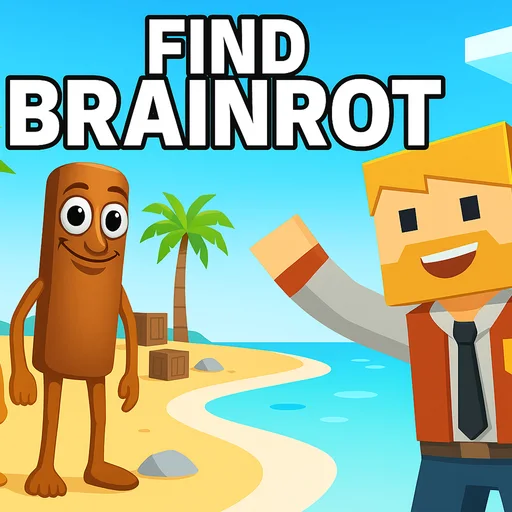
Find Brainrot












Find Brainrot
Not every brainrot game is a frantic race against bots. Find Brainrot is the opposite — a slow, calming 3D hidden-object hunt where the only pressure is your own eyes. Built by Hikma, it drops you into detailed little dioramas and asks one thing: find the brainrots hidden in the scene. That is it, and it is weirdly relaxing.
Each level is a fully 3D room or environment you can rotate, pan, and zoom around. The brainrots are not just sitting in plain sight — they are tucked behind furniture, stuffed in drawers, hiding around corners, or shrunk down so small you have to zoom right in to spot them. Spinning the camera to catch a glimpse of one peeking out from behind a couch is the core "aha" moment, and the game is full of them.
What makes it click is the level of detail in the scenes. There is always more to look at than you expect, which means finding the last hidden brainrot in a level can take real observation. It rewards patience and a careful eye rather than reflexes, so it is the rare brainrot game you can play to wind down instead of hype up.
If the chaos of Tsunami For Escape Brainrots or the sneaking in Steal A Fish has fried your nerves, this is the palate cleanser. Same meme creatures, zero stress.
How to Play Find Brainrot
This is all about camera control. On desktop, hold the left mouse button and drag to rotate the camera around the scene, hold the right mouse button to pan, and use the scroll wheel to zoom in and out. On mobile, swipe to rotate, use two fingers to pan, and pinch to zoom.
Your job each level is to find every hidden brainrot in the environment. Spin the scene slowly and look from multiple angles — a brainrot that is invisible from the front might be plainly visible once you rotate behind an object. Do not just stare at one view.
Zoom is your most important tool. Plenty of brainrots are hidden small or deep in the scene, behind drawers, under furniture, or inside containers you have to look into. When you think a level is empty, it usually is not — zoom into the cluttered spots and check the corners you skipped.
Find them all to clear the level and move on to the next, more detailed scene. There is no timer breathing down your neck, so take the time to actually search. The satisfaction is in spotting the one you walked past five times.
Strategies & Tips
Hidden-object games are won with method, not speed. A little discipline finds the sneaky ones fast.
Do a full rotation first
Before zooming anywhere, slowly spin the whole scene once to catch the obvious brainrots and map out the cluttered zones. You cannot find what you never looked at from the right angle.
Check every container and gap
Drawers, cabinets, gaps behind furniture, the dark corners of the room — these are where the game loves to tuck the last one or two. Make opening and peeking into things a habit.
Zoom into clutter, not empty space
The busier a part of the scene looks, the more likely a brainrot is camouflaged in it. Spend your zoom time on detailed areas rather than blank walls and floors.
Change your viewing height
Pan up and down, not just around. Some brainrots only become visible from a high or low angle, hidden on top of shelves or beneath low furniture.
Slow down on the last one
The final brainrot in a level is always the meanest hide. When you are stuck on one, resist rushing — systematically rotate and zoom through each quadrant of the scene instead of frantically spinning. Honestly the tiniest ones can be genuinely hard to spot, so patience beats panic every time.
Controls
🖥️ Desktop
📱 Mobile
Why Play Find Brainrot Here?
It runs right in your browser through CrazyGames — no download, no Roblox, no account — and works on most school and office networks, making it a perfectly quiet game to play between classes without bothering anyone. Find Brainrot is the chill corner of the brainrot collection; when you want the meme creatures with a bit more action, Break a Lucky Blocks: Catch Brainrots and Tsunami For Escape Brainrots are a click away. Curious which hidden creatures you are actually hunting? The brainrot characters database has them all.
Comments (0)
Loading comments...